
The Fourfold
A game console you talk to. Say what you want to play, and it builds the game.
It isn't finished. We're building it in the open, and this page is where you can watch. Today is day 23.
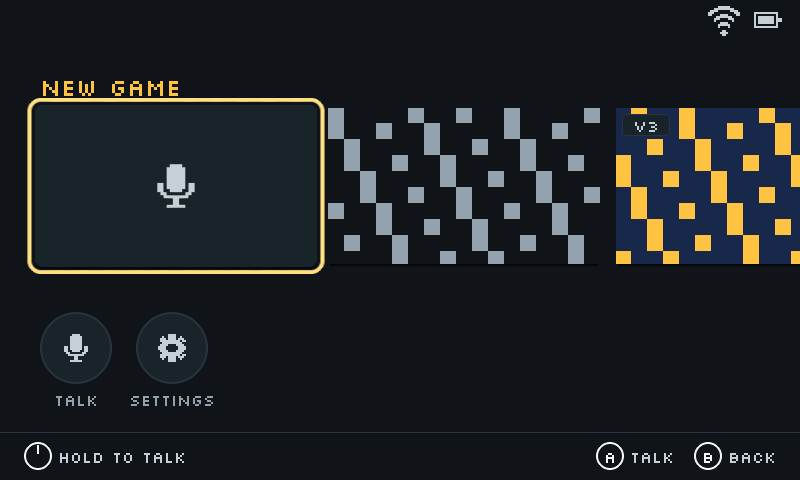
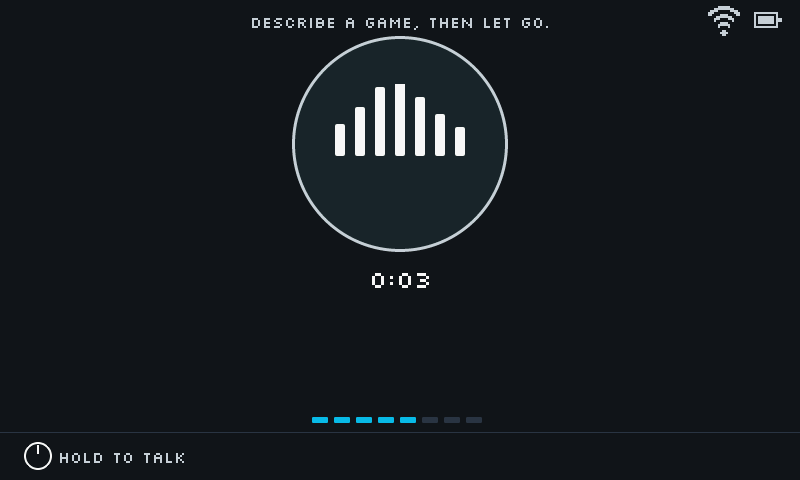
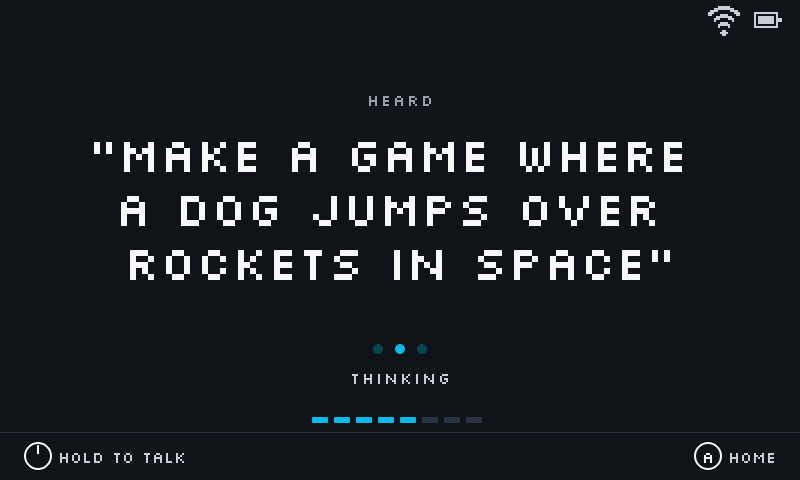
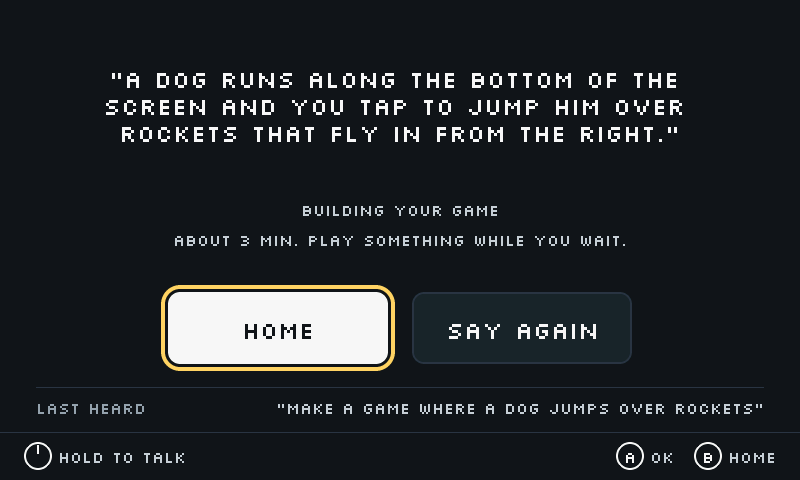
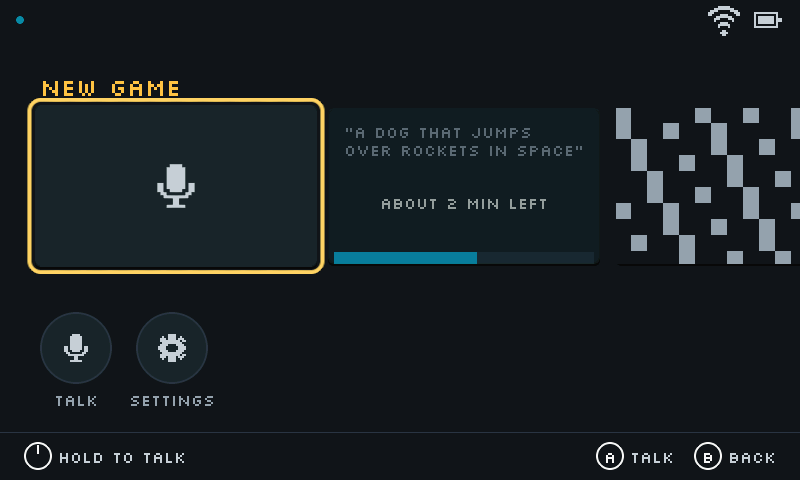
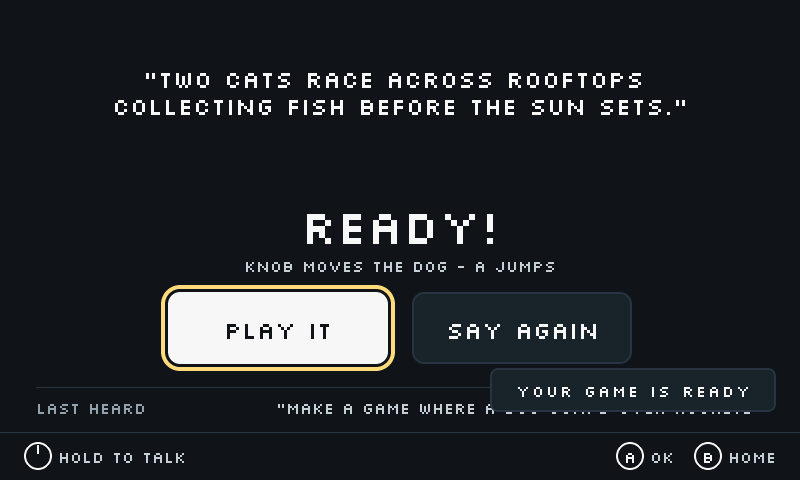
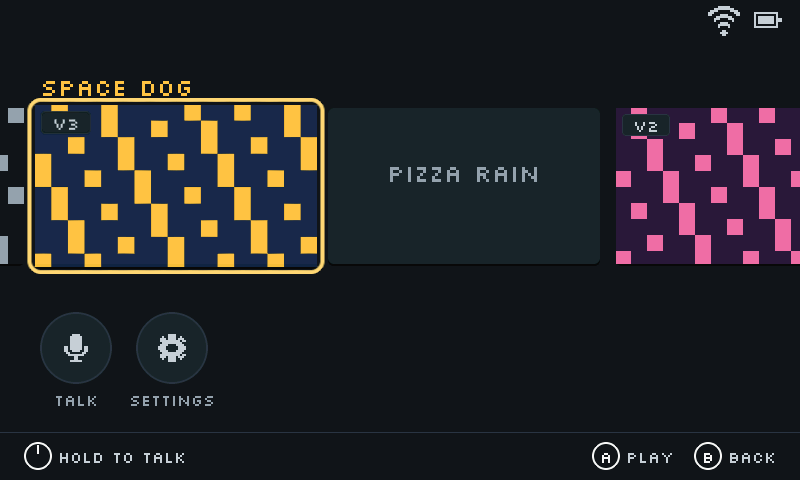
This is the shelf. The card at the front makes a new game.
1 of 8
Turn the knob or press green to go on, and yellow to go back. These are the real screens from the console.
Coming to Kickstarter
It'll launch on Kickstarter when it's ready. Leave your email and you'll hear first.
- Day
- 23
- Firmware
- 0.19
- Case revision
- 5
- Last update
- September 28
Here it is running
I filmed this on the workbench on September 26. It shows the shelf, a round of Pong, and then Submarine, where you dive, collect salvage, and spend it at the depot.
The console built Submarine from a spoken request.
Full video and photos in the press kitOn the bench right now
Getting games to run faster
New games run at 20 to 40 frames a second. We want 60. The slow part is painting the screen, so that's where we're working.
Making the builds better
A finished game should be fun on the first try. We're teaching the automated tester to tell whether it is. Right now it mostly checks that the game runs.
Cutting the cord
The prototype runs off a USB cable. The newest case design has a pocket for a battery. Next is printing it and finding out how long it lasts.
What's not good yet
- A full game takes about 12 minutes to build. A quick sketch takes about 3.
- Building a new game needs Wi-Fi. Without it you can still play your shelf and make small changes by voice.
- With Wi-Fi off, the console only understands a short list of spoken commands.
- The case is gray because that's the filament we had.
The journal
Newest first, including what broke.
- Day 23
Learned
The slow part is drawing
We switched off a bookkeeping step in the game runtime, hoping for a big jump in speed. Wind Dog went from 22.8 frames a second to 23.7.
That tells us the slow part is painting the screen, so that's what we're working on next.
- Day 22
Decided
You pick how much game you want
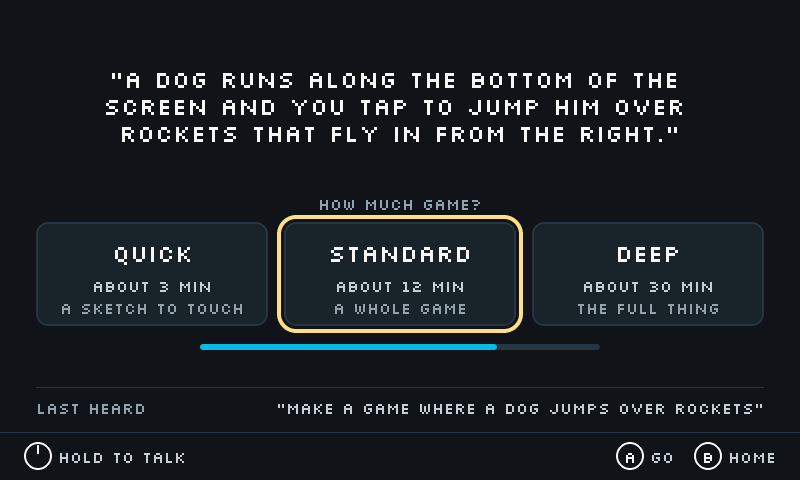
Builds got longer as the games got better, and waiting 12 minutes for a quick idea felt wrong. Now the console asks whether you want quick, standard, or deep. That's a sketch you can touch in about 3 minutes, a whole game in about 12, or the full thing in about 30.
- Day 22
Worked
The tester now watches the screen
Every new game gets played by an automated tester before it reaches your shelf. Until now the tester only read numbers, like whether the score changed or the player moved. Now it looks at the screen while it plays, the way you would.
- Day 21
Worked
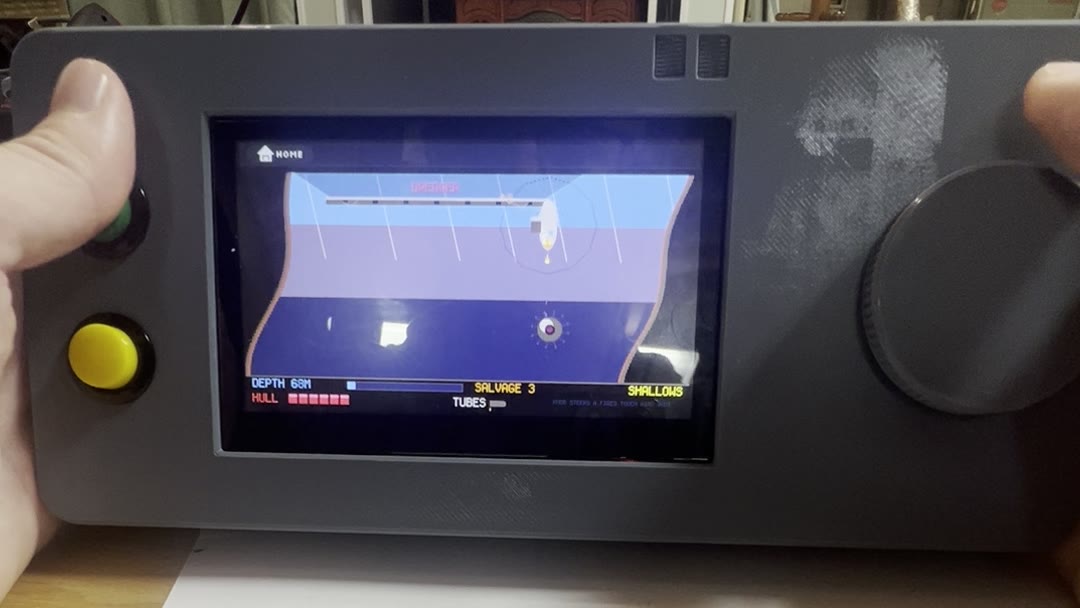
Three minutes of Submarine
The first long play session on the assembled console, filmed on the workbench. Submarine has depth zones, a shop, and a sea floor with things on it that want you gone. The video is at the top of this page.
- Day 21
Fixed
The game that vanished
A game called Paper Canyon took 5 minutes and 26 seconds to build. The console stopped waiting at 5 minutes, said it didn't build, and moved on. The game finished 26 seconds later, and by then the console had stopped checking. It didn't show up until the next restart.
The console now waits a lot longer, and a finished game always lands on the shelf.
- Day 21
Worked
Cave Bat
The first game built the new way: 796 lines of code, written, tested, reviewed, and revised before it reached the console. It took 8.7 minutes.
It ran at 20 frames a second. Clearing the screen with the chip's graphics hardware got it to 28.
- Day 21
Fixed
Flicker and choppy sound
Two bugs had the same cause. We'd assumed every game runs at 60 frames a second. The screen flickered because we were erasing the next frame while the display was still reading it. Sound stuttered because we fed the speaker one frame's worth of audio per frame, which is half as much as it needs when a game runs at 30.
Both now run off the clock instead of the frame count.
- Day 20
Worked
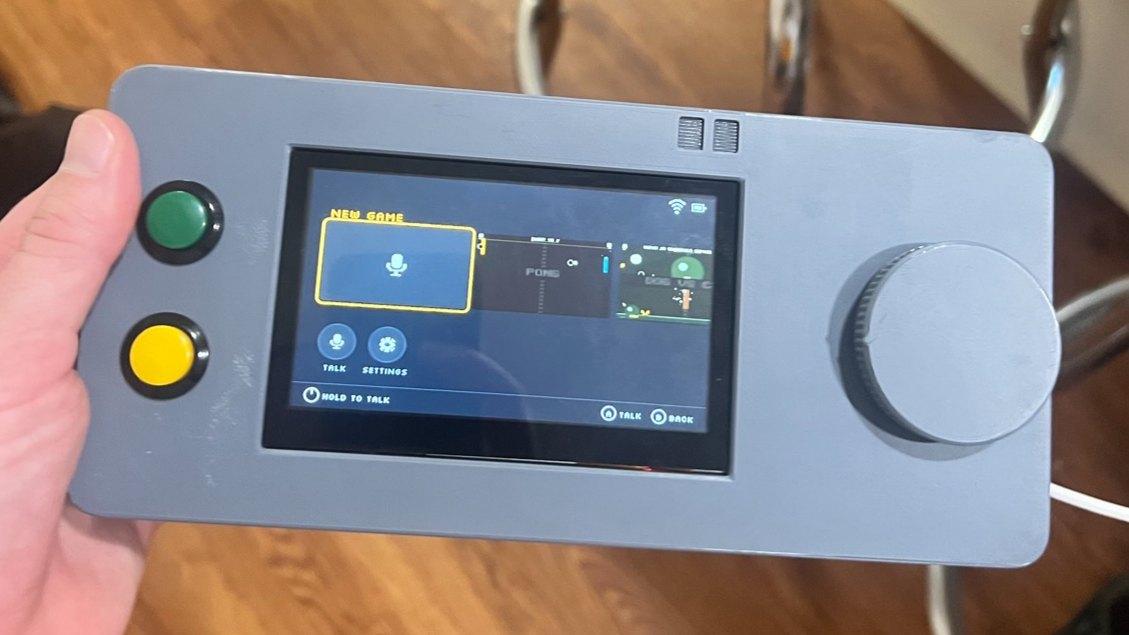
Everything in one case
Screen, board, knob, and buttons, all in one printed case, running the home screen. The knob scrolls the shelf. The buttons pick and go back. Pushing the knob in means talk.
- Day 20
Worked
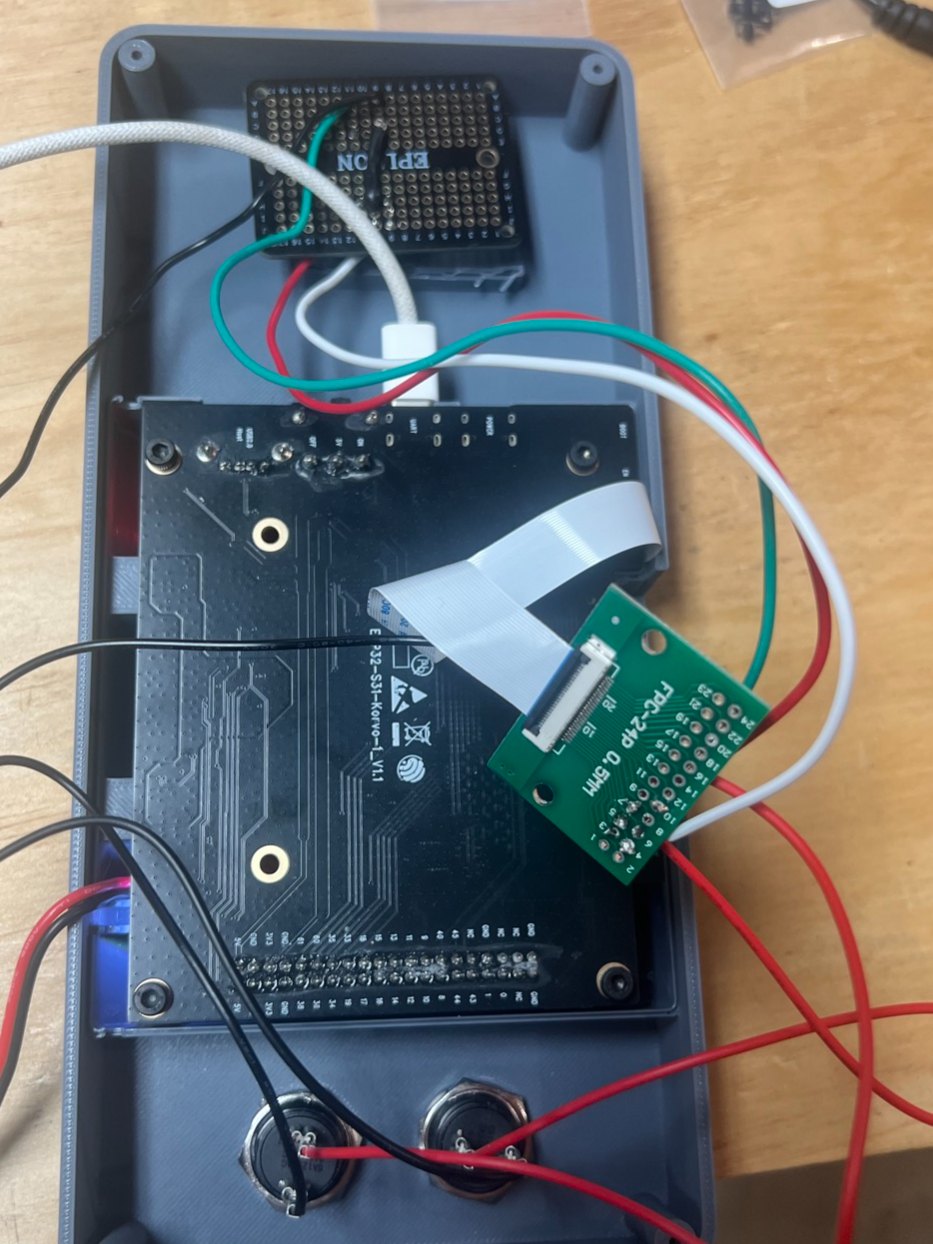
The controls go in through the camera port
The board had no spare pins where we needed them. It did have a camera we weren't using. We unplugged it and ran the knob and both buttons through its connector, with a ribbon cable and a small adapter board.
- Day 14
Worked
The shelf works without Wi-Fi
Games now save to the SD card, so your shelf is there with no network. The console also got its own Wi-Fi picker. Before this, the network name was baked into the firmware.
- Day 12
Worked
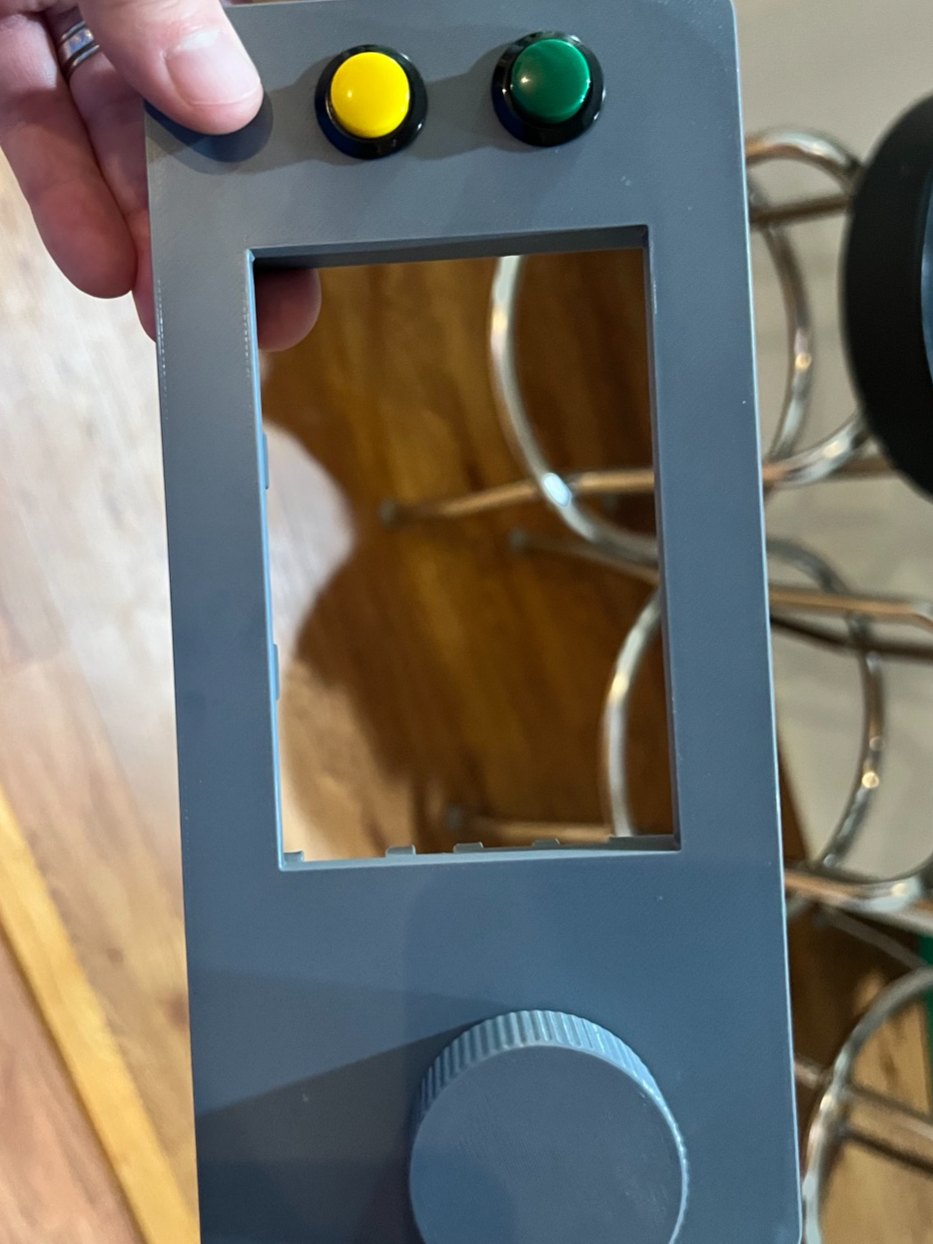
A faceplate with room for everything
The first printed front with two buttons, a window for the screen, and the knob.
- Day 9
Worked
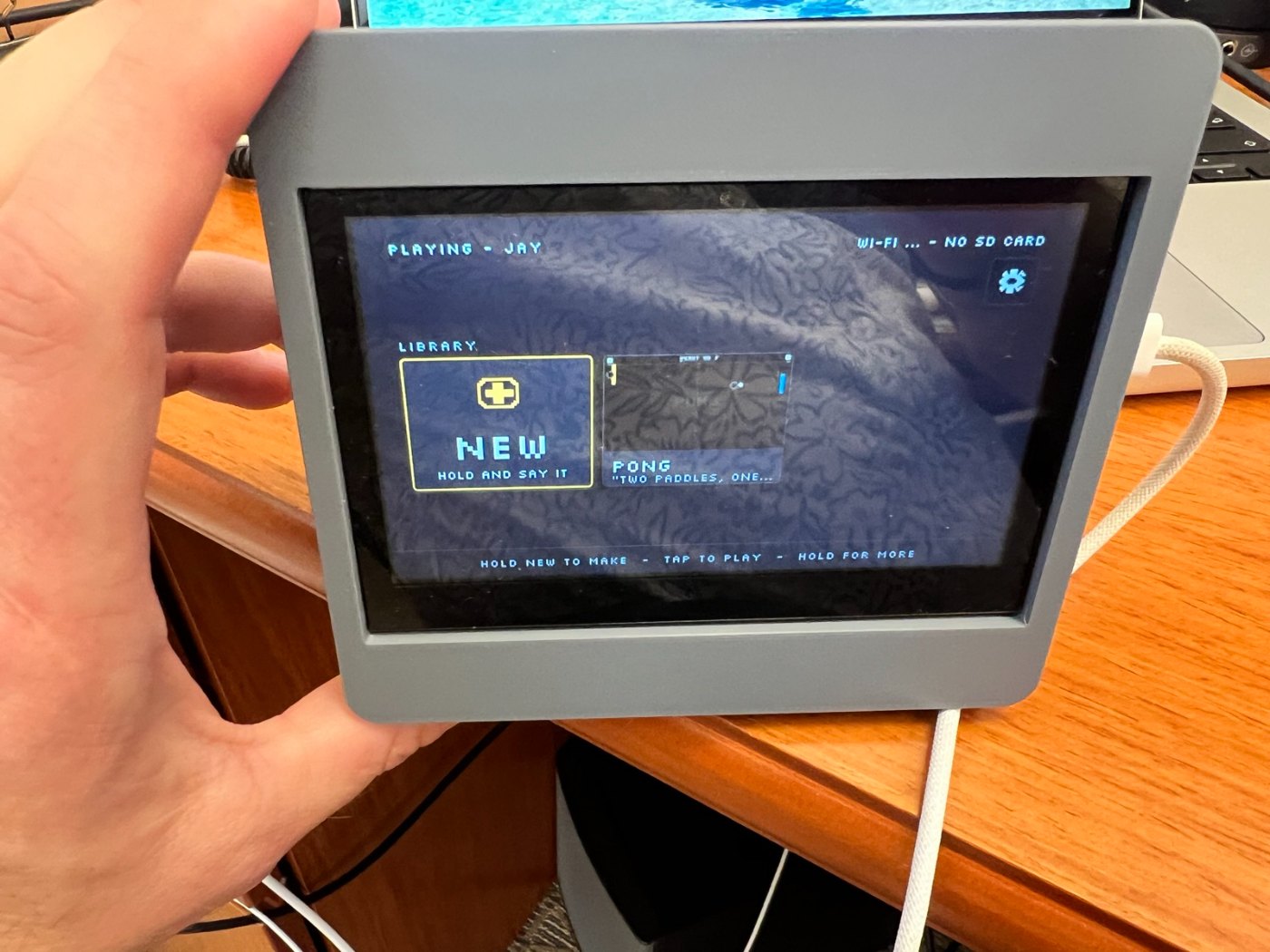
A library on the screen
The first case only held the screen. The home screen already had its shape: a shelf of games, with a card at the front for making a new one.
This is also the week games became small programs the console runs, instead of settings files it reads. That's what lets a game do something we never planned for.
- Day 8
Worked
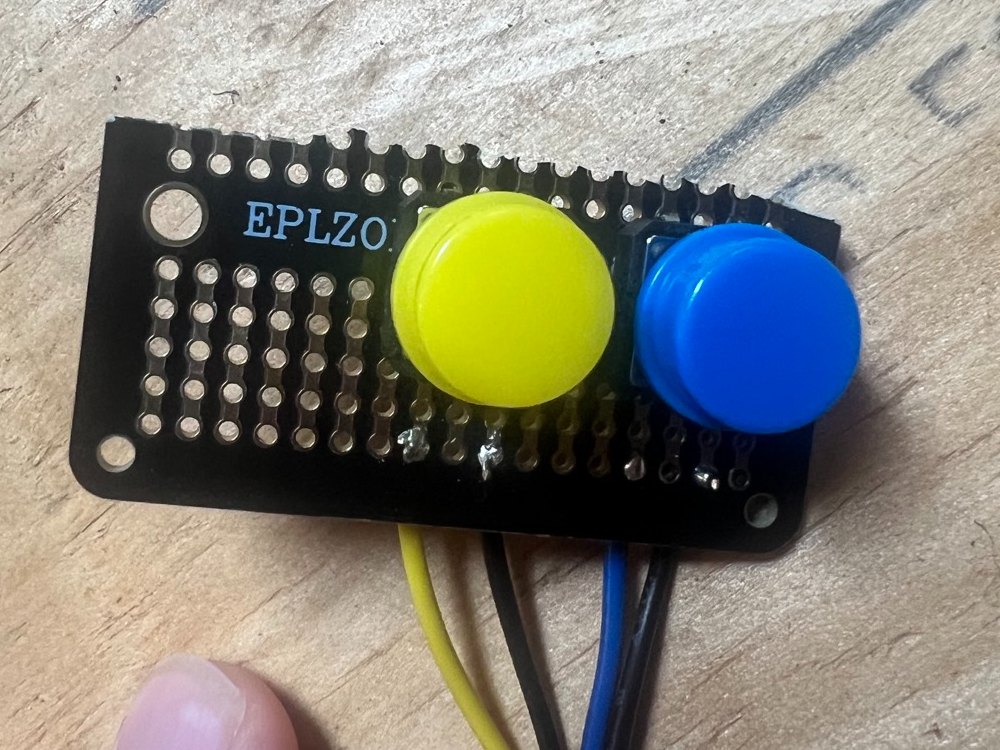
First buttons
I soldered two buttons to a scrap of prototyping board. They're ugly, but they were enough to find out how the buttons feel under a thumb.
- Day 7
Decided
Screen in the middle, knob on the right
We settled the layout before printing anything: screen in the middle, two buttons on the left, one big knob on the right. The orange is where we'd like to end up.
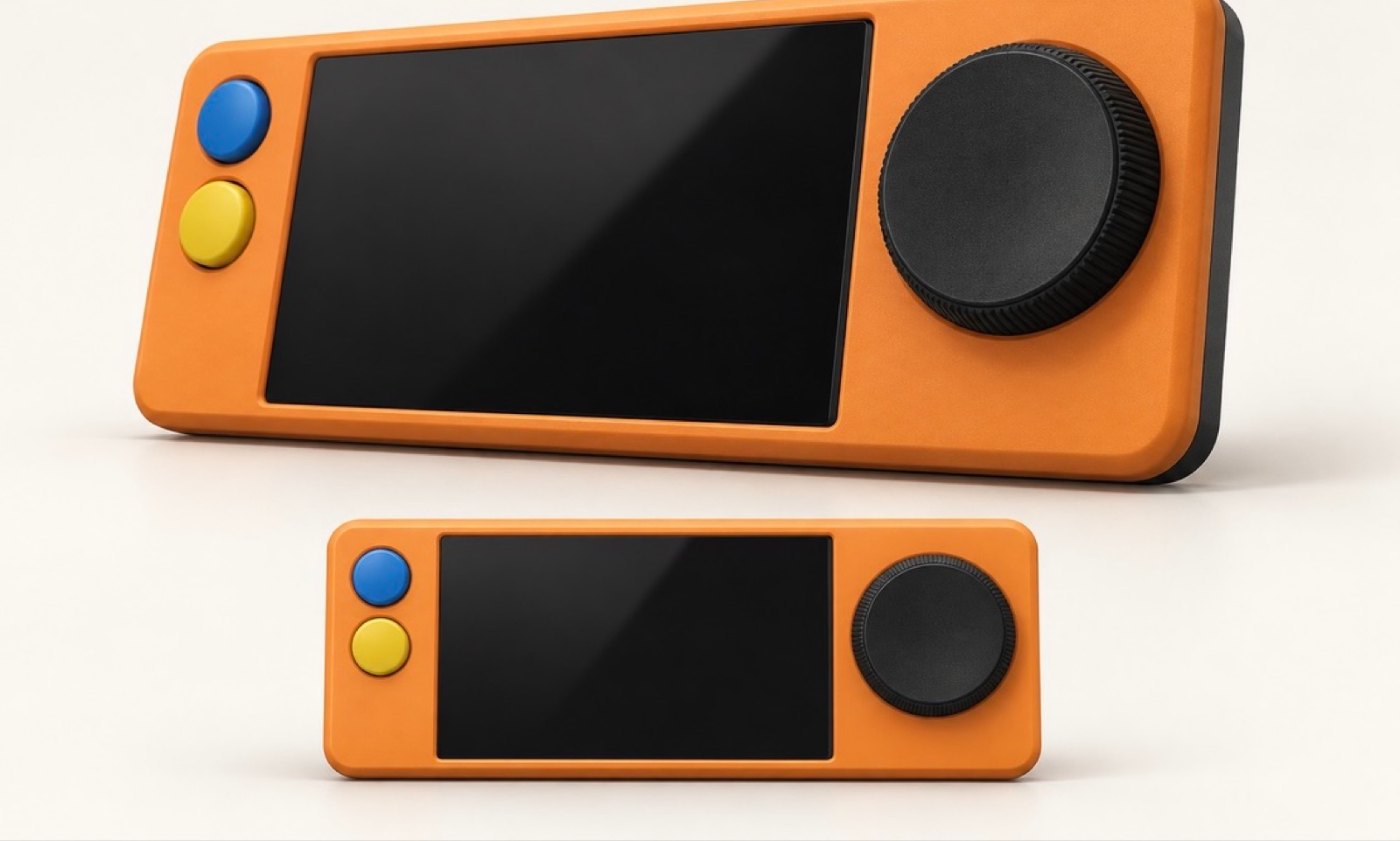
This is a concept image. - Day 6
Fixed
It heard the laptop and ignored me
The console is supposed to wake up when you say its wake phrase. It woke every time the laptop's computer voice said it. It never woke for me, all day.
We couldn't retrain it, so we swapped the phrase. With the new one, the first spoken command from a real person worked. I said "bigger" and the Pong paddle grew 7 thousandths of a second later, with no internet.
- Day 3
Worked
Say a sentence, get a game
The whole loop works for the first time. Say what you want, and about 50 seconds later you're playing it. Say what to change, and the new version is ready in about 10.
These first games are simple. Pong runs at a steady 60 frames a second.
- Day 1
Started
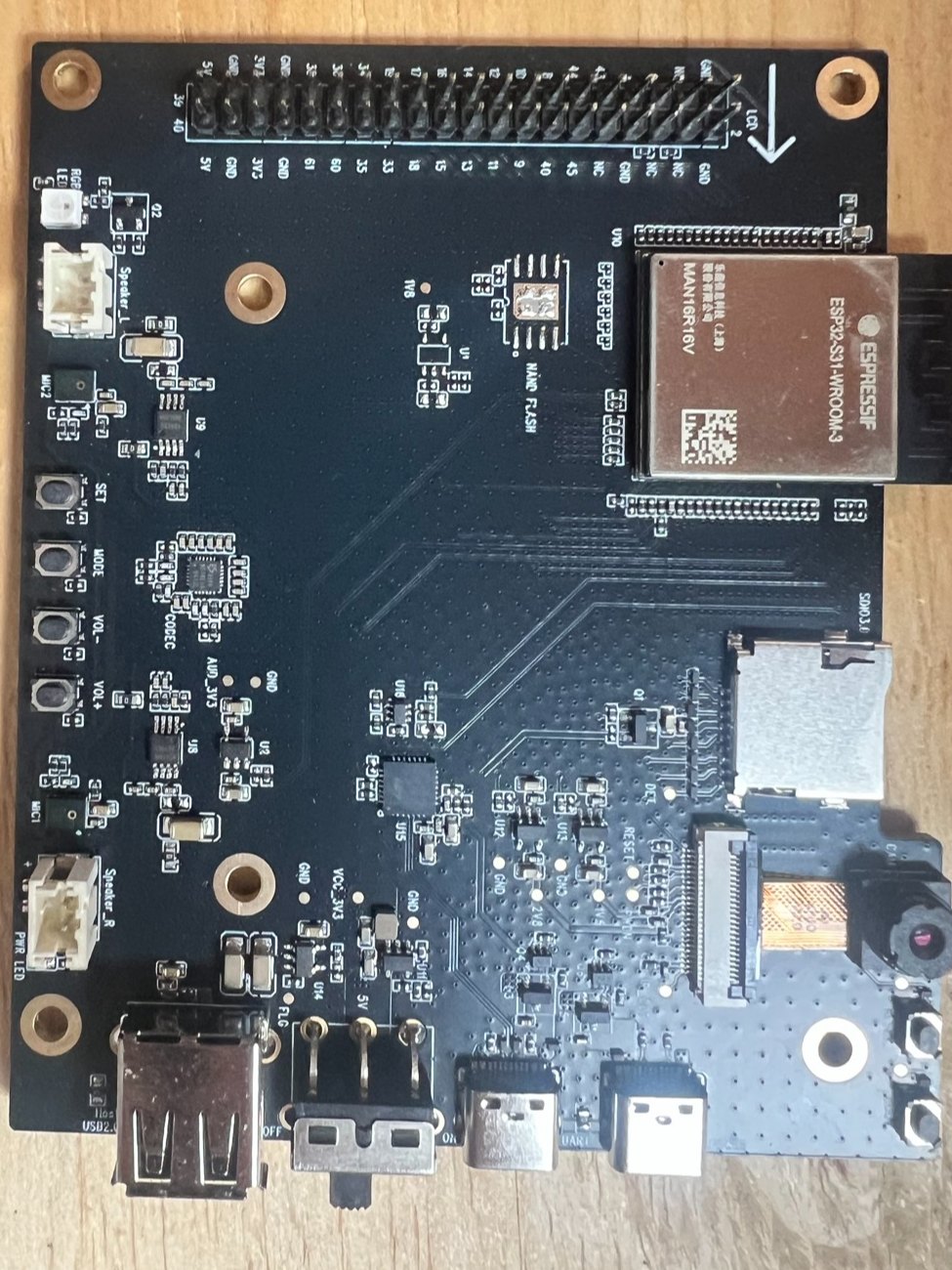
A board and a plan
The build starts on an Espressif ESP32-S31-Korvo-1 development board: a dual-core RISC-V chip with Wi-Fi 6, two microphones, speaker amps, and a microSD slot.
The first thing we learned is that loading new firmware at full speed fails partway through and leaves the board unable to start. At the slowest speed it works every time, and a full load takes about 15 minutes.
Follow along
We add to the journal as things happen. Get the Kickstarter email, subscribe to the feed, or read the longer write-ups on the blog.
Hear when the Kickstarter opens
The prototype today
- Status
- Working prototype. Coming to Kickstarter when it's ready.
- Controls
- One knob (turn and push), two buttons, touch screen, voice
- Screen
- 800 × 480 touch screen
- Processor
- Espressif ESP32-S31, dual-core RISC-V
- Wireless
- Wi-Fi 6, Bluetooth
- Audio
- Two microphones, built-in speaker
- Storage
- microSD for games and saves
- Games
- Small Lua programs running on Fourfold's own engine
- Case
- 3D printed, fifth revision
Questions about The Fourfold
- What is The Fourfold?
- The Fourfold is a handheld game console being developed by Fourfold. Instead of buying games for it, you tell it what you want to play and it builds the game. You can then talk to a game to change it.
- Can I buy one?
- Not yet. It's a working prototype, and it'll launch on Kickstarter when it's ready. You can leave your email on this page to hear when that happens.
- How long does it take to build a game?
- You choose. A quick sketch takes about 3 minutes, a whole game about 12, and the full treatment about 30. You can play other games while it builds.
- How do you control it?
- With a knob, two buttons, and a touch screen. Every one-player game is made to be playable with just the knob and one button. Pushing the knob in is how you talk to the console.
- Does it need the internet?
- Building a new game needs Wi-Fi. Playing the games on your shelf doesn't, and you can make small changes to a game by voice with Wi-Fi off.
- What hardware is it built on?
- The prototype is built on Espressif's ESP32-S31-Korvo-1 development board, with an 800 × 480 touch screen, two microphones, a speaker, and a microSD slot, in a 3D-printed case.